
Apple Home Key and HomeKit Smart Locks (Plus NFC and App Access)
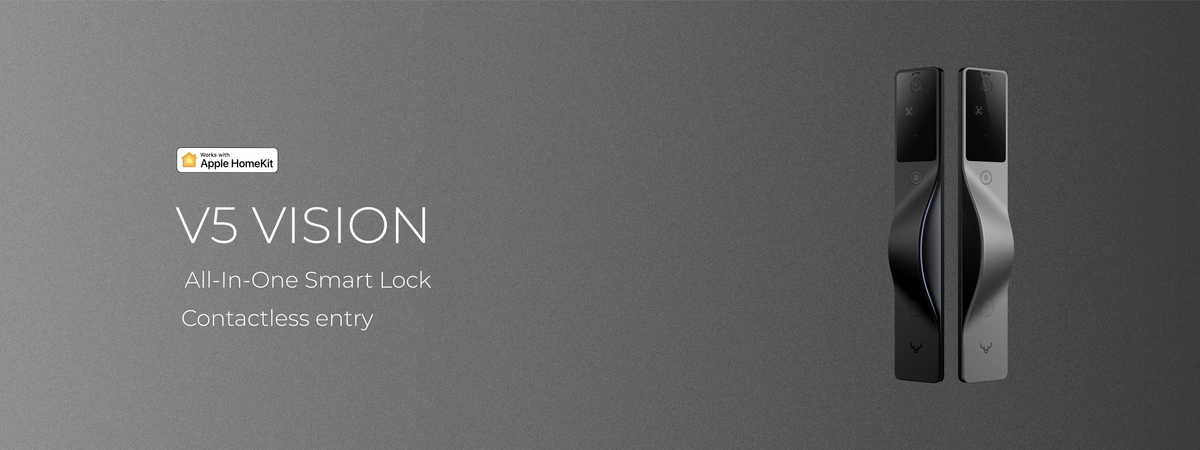
Apple Home Key lets you unlock your door with a tap of an iPhone or Apple Watch, using a digital key stored in Apple Wallet. The BTRtec V5 Vision is a premium smart mortise lock that supports Apple Home Key and full Apple HomeKit control, pairing that integration with 3D face recognition and a 2K video doorbell, from $1,150 CAD with installation included.
Walk up to your door, hold your iPhone or Apple Watch to the lock, and you are in. No key, no code, no app to open. That is the Apple Home Key experience, and if you live in the Apple ecosystem it is the reason you are reading this. The catch is that almost every guide to Apple Home Key locks is written about the same handful of cylindrical deadbolts. This one is about having that tap-to-unlock experience on a premium mortise lock that is built into the door and fitted for you, and about how Home Key, HomeKit, NFC cards, and the lock's app actually fit together for a whole household.

What is Apple Home Key, and how does it work?
Apple Home Key is a digital key that lives in your Apple Wallet, next to your cards and passes. To unlock, you hold your iPhone or Apple Watch close to the lock, the same short-range tap you use to pay. With Express Mode switched on, which is the default once you set it up, you do not need to wake or unlock your phone first; you just tap. Because the key is stored on your device and works over that close NFC tap rather than the internet, it keeps working when your home network is down. Apple's power reserve can also keep it working for a limited window after your phone reports the battery as dead, though that reserve is finite, not indefinite. You add the key once through Apple's Home app, it appears in Wallet as a pass, and from then on the door is one more thing your phone opens with a tap.
One honest detail, because it is the thing high-end buyers actually care about: Home Key is a deliberate close-range tap, not a passive walk-up. You bring the phone or watch to a marked reader zone on the lock, the same gesture as tapping a transit gate or a card reader, so there is a consistent spot rather than hunting for it. If you want true hands-free entry as you approach, that is what the face recognition on the lock is for, which is a separate method covered below.
HomeKit, Home Key, and the lock's app: three things, one lock
People use these names interchangeably, and they are not the same thing. Getting them straight is the difference between buying the right lock and being disappointed, and it is the part most guides skip.
HomeKit is Apple's smart home framework. It is how the lock shows up in the Home app and answers to Siri, how you check from your phone whether the door is locked, and how the lock joins automations like locking at night or as part of a "leaving home" scene. HomeKit is control and status, from anywhere.
Apple Home Key is the tap-to-unlock part: the Wallet pass on your iPhone or Apple Watch that physically opens the door. HomeKit tells the door what to do; Home Key opens it as you arrive. They are separate features with separate requirements, which is why a lock can support one, the other, or both, and why it is worth confirming exactly what a lock does before you buy. The V5 Vision supports both.
The lock's app is the third piece, and here is the honest answer to a question every premium buyer asks: why do I need a second app at all? Because Apple's Home app, by design, does not handle the deeper administration. Enrolling fingerprints and faces, issuing and revoking one-time codes, adding NFC cards, and managing exactly who can do what are done in the lock's own app, on this lock and on essentially every other HomeKit lock, because HomeKit does not expose those controls. It is a HomeKit boundary, not a quirk of this lock. In practice you set the lock up once in both, and after that your daily life is the tap; you only open the lock's app when you are adding a person or changing access.
All your access methods on one door
The reason a premium lock matters here is that Home Key is best as one option among several, not the only way in, because a household is not all iPhones. Home Key and an Apple Watch tap are perfect for you. An NFC card is the answer for the people who do not carry a phone the way you do: a younger child, an older parent, a cleaner, or a tenant. You hand them a card to tap and revoke it in seconds if you need to, with no key to cut or reprogram.
On a lock built for this, the layers stack neatly. Apple Home Key for you. NFC cards for the family members and helpers who prefer them. A one-time code from the lock's app for the guest arriving while you are out. Face recognition for genuine hands-free entry when your arms are full. And a mechanical key, kept as the fail-safe it should always be. The same door serves the teenager, the grandparent, the dog walker, and you, each on the method that suits them.
Choosing a HomeKit-compatible BTRtec lock.
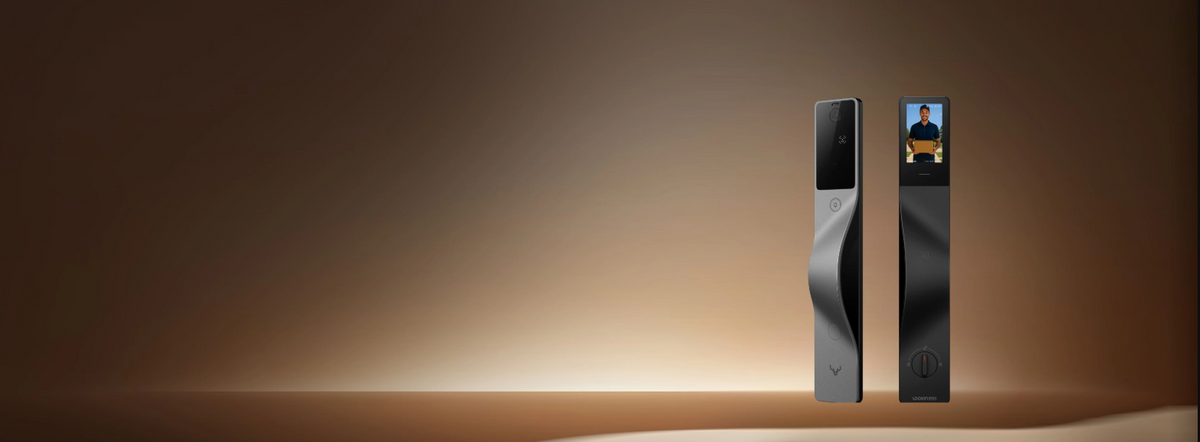
This is where the deadbolt guides run out of road. Most locks that support Apple Home Key are cylindrical deadbolts. The BTRtec V5 Vision brings Home Key, and full Apple HomeKit control, to a premium smart mortise lock, the kind cut into the edge of the door rather than bolted onto its face. So you get the tap-to-unlock convenience and the Home app and Siri control on hardware that is built to last, not a clever module on a builder-grade bolt. It also pairs that integration with structured-light three-dimensional face recognition and a 2K video doorbell, so the Apple-ecosystem buyer does not have to trade the integration they want against the hardware they want. For how its face recognition compares with fingerprint and vein, see our guide to fingerprint, face, and vein recognition.
If Apple Home Key is the feature you care about most, the V5 Vision is the model to look at, and you can match it to your door from the range of premium smart mortise locks.
Setup, and the part that is done for you
The Apple side is the easy part, and you do it yourself in minutes: once the lock is installed, you add it in Apple's Home app, the Home Key pass appears in Wallet, and you can tap to unlock from that moment. Adding family members, enrolling faces or fingerprints, and issuing cards happens in the lock's app.
The part that is not do-it-yourself is the lock itself, and that is by design. Because this is a mortise lock cut into the door and wired through it, the fitting is professional work, and with BTRtec it is included rather than billed as an extra: certified technicians handle the installation and the on-site setup, so the hardware is right before you ever open the Home app. Over more than six years and more than 10,000 locks installed across North America, that is the part we take off your hands. The honest first step, before any of it, is confirming your door can take the lock, which you do by uploading a couple of photos to the compatibility check.
FAQ
What is Apple Home Key?
Apple Home Key is a digital key stored in your Apple Wallet that unlocks your door when you hold your iPhone or Apple Watch close to the lock. It is set up through Apple's Home app, taps to unlock without opening an app when Express Mode is on, and keeps working when your internet is down because the key lives on your device.
Which door locks work with Apple Home Key?
Only locks specifically built for it, and most of those are cylindrical deadbolts. The BTRtec V5 Vision is a premium smart mortise lock that supports Apple Home Key, so you can have tap-to-unlock on hardware that is cut into the door rather than bolted on.
Is the BTRtec V5 Vision HomeKit compatible?
Yes. The V5 Vision works with Apple HomeKit, so it appears in the Home app, responds to Siri, and can join your automations. It also supports Apple Home Key, which is the separate tap-to-unlock feature.
Can I unlock my door with my Apple Watch?
Yes. Once Apple Home Key is set up, your Apple Watch carries the same Wallet key as your iPhone, so a tap of your wrist unlocks the door, which is ideal when your hands are full or your phone is in your bag.
Can I use NFC cards and Apple Home Key on the same lock?
Yes. Apple Home Key handles the tap for your iPhone and Apple Watch, while NFC cards give the same easy tap to family members, seniors, tenants, or anyone who does not carry a phone, all on the same door and all managed from the lock's app.
Why do I need the lock's app if it works with HomeKit?
Because Apple's Home app does not manage biometric enrolment or detailed access on any HomeKit lock. Adding faces and fingerprints, issuing one-time codes, and adding NFC cards happen in the lock's app, while the everyday tap, Siri, and automations live in Apple Home. You set up once in both and mostly just tap after that.
How do I add a Home Key to Apple Wallet?
After the lock is installed, you add it in Apple's Home app, and the Home Key is created and placed in Apple Wallet automatically. From then on it behaves like any other Wallet pass, ready to tap, and it can be shared with the other members of your Apple household.
Do I need to open an app every time I use Apple Home Key?
No. Once Apple Home Key is set up in the Home app, Express Mode lets you tap your iPhone or Apple Watch to the lock without unlocking your phone first. The lock's own app is only needed when adding a person, enrolling a fingerprint or face, or issuing a code.
Does using Apple Home Key drain my phone battery faster?
No noticeably. The tap-to-unlock exchange uses the same short-range NFC technology as contactless payments, which draws minimal power, and Apple's power reserve can keep Home Key working for a limited time even after the phone reports a dead battery.

See the Apple-ready range
If you want the tap-of-a-phone experience on a lock that is actually built to last, the V5 Vision is the place to start. See the range of premium smart mortise locks, then check if your door is compatible, and find out whether your door can carry the lock before you buy.
There is no pressure to buy. The first step is simply finding out what your door can take.
Check if your door fits